
Your whole library, on one screen.
The desktop app is home base. Browse everything you’ve saved, open it at full size, and shape it into something you can find your way around without thinking.
For Mac and Windows.
A pile becomes a library the day you can shape it.
Use as much structure as you like, or hardly any. Kariel doesn’t mind either way.
-
Folders and tags
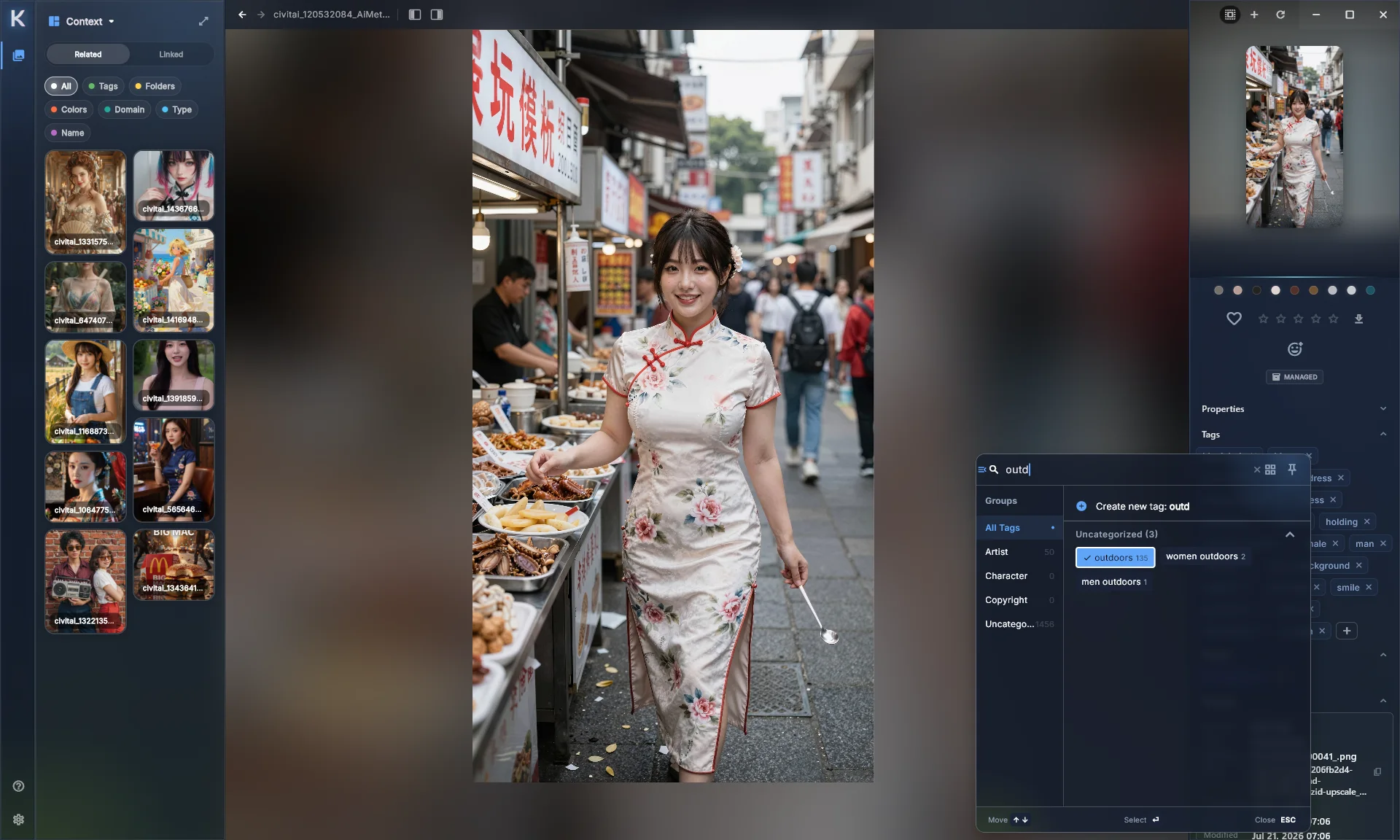
Nest folders as deep as you want. Give tags parents, so tagging “oak” also files it under “trees”, and aliases for the names you type all day.
-
Super tags and your own fields
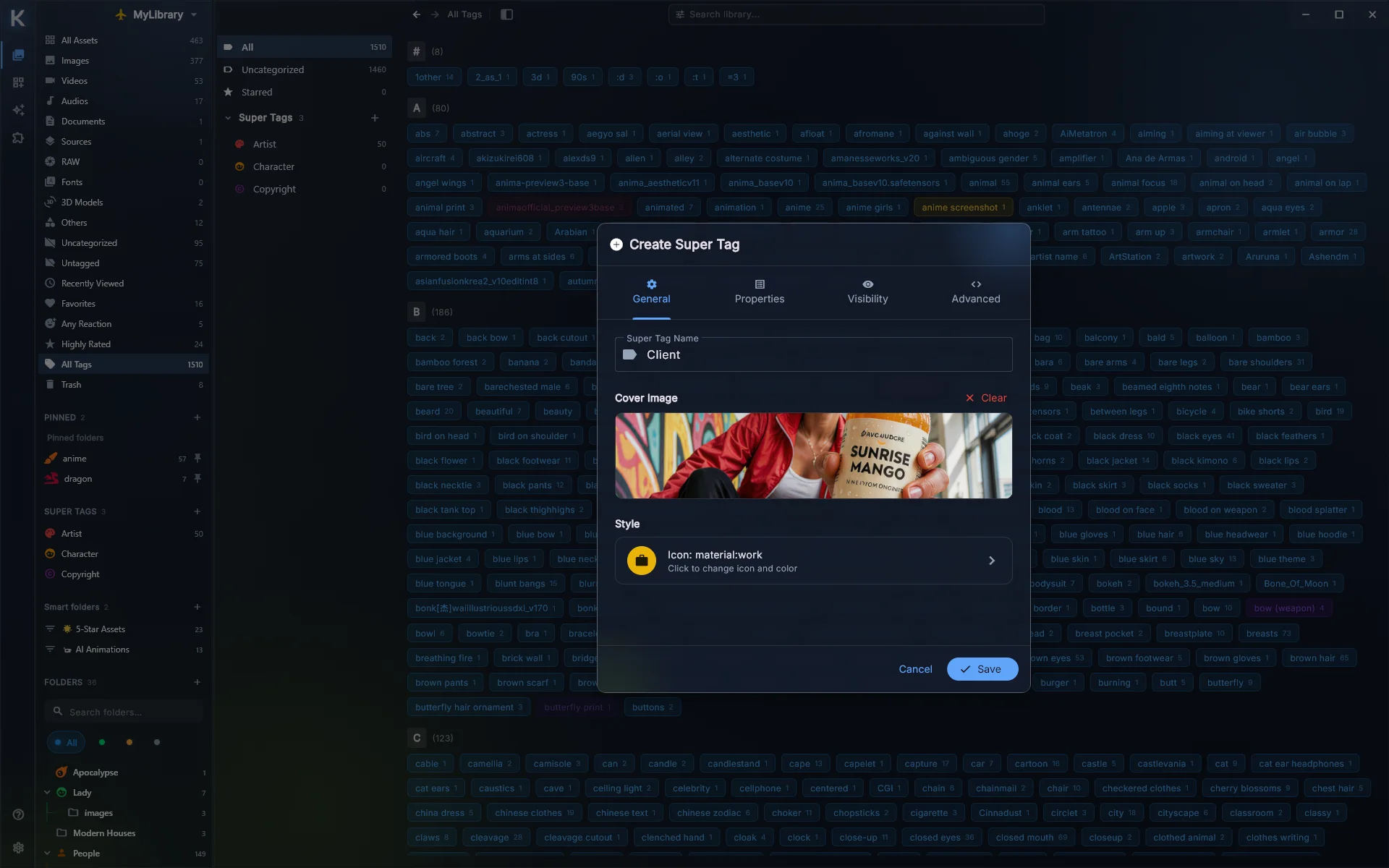
Group related tags into one idea, like “Character” or “Client”, and give it the fields you need: dates, numbers, links, checkboxes.
-
Smart Folders
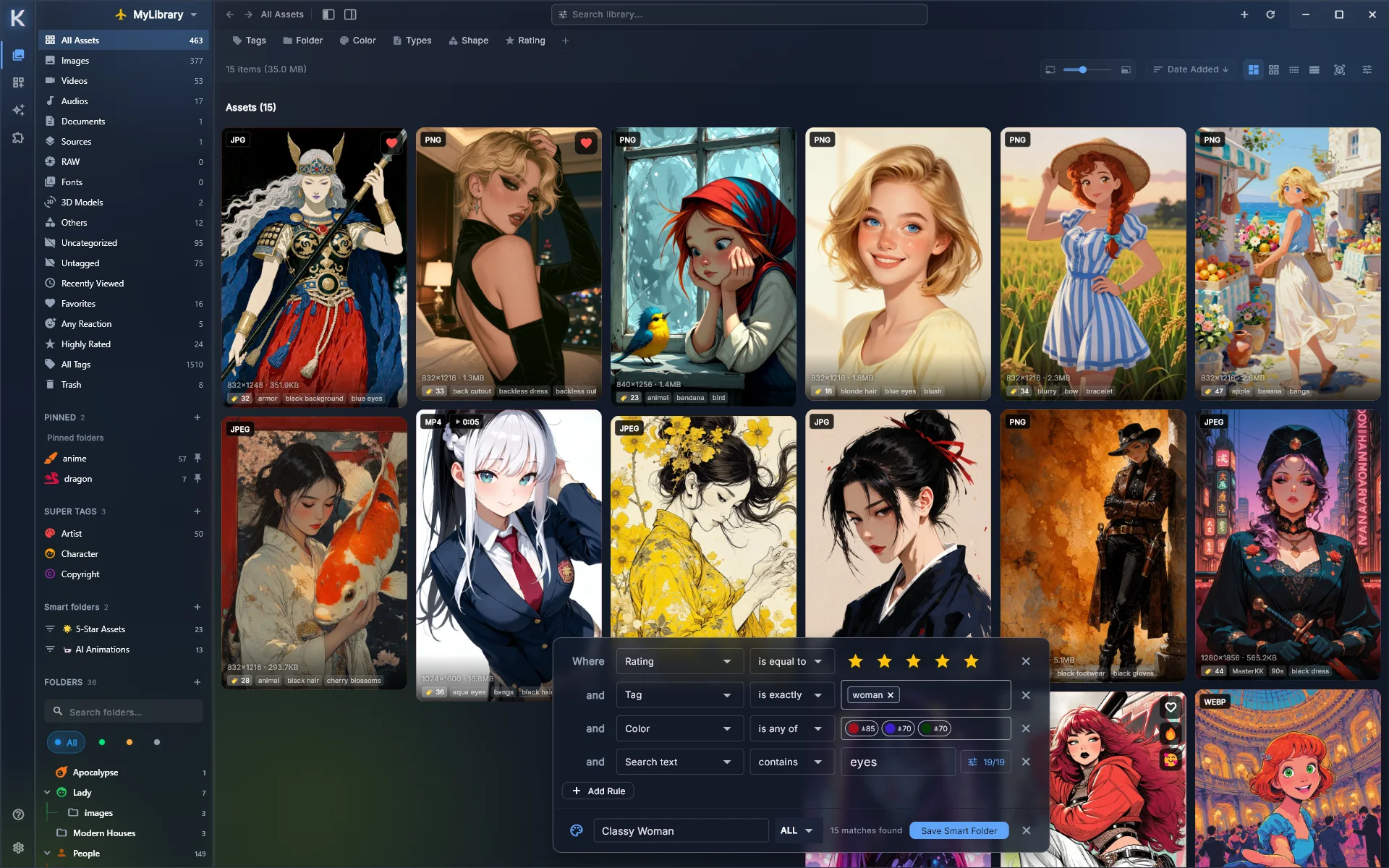
Save a search as a folder. Everything five-star, landscape and tagged “reference” lands there by itself, today and next year.
Open anything without opening anything else.
Images, video, documents and 3D models all preview inside Kariel.
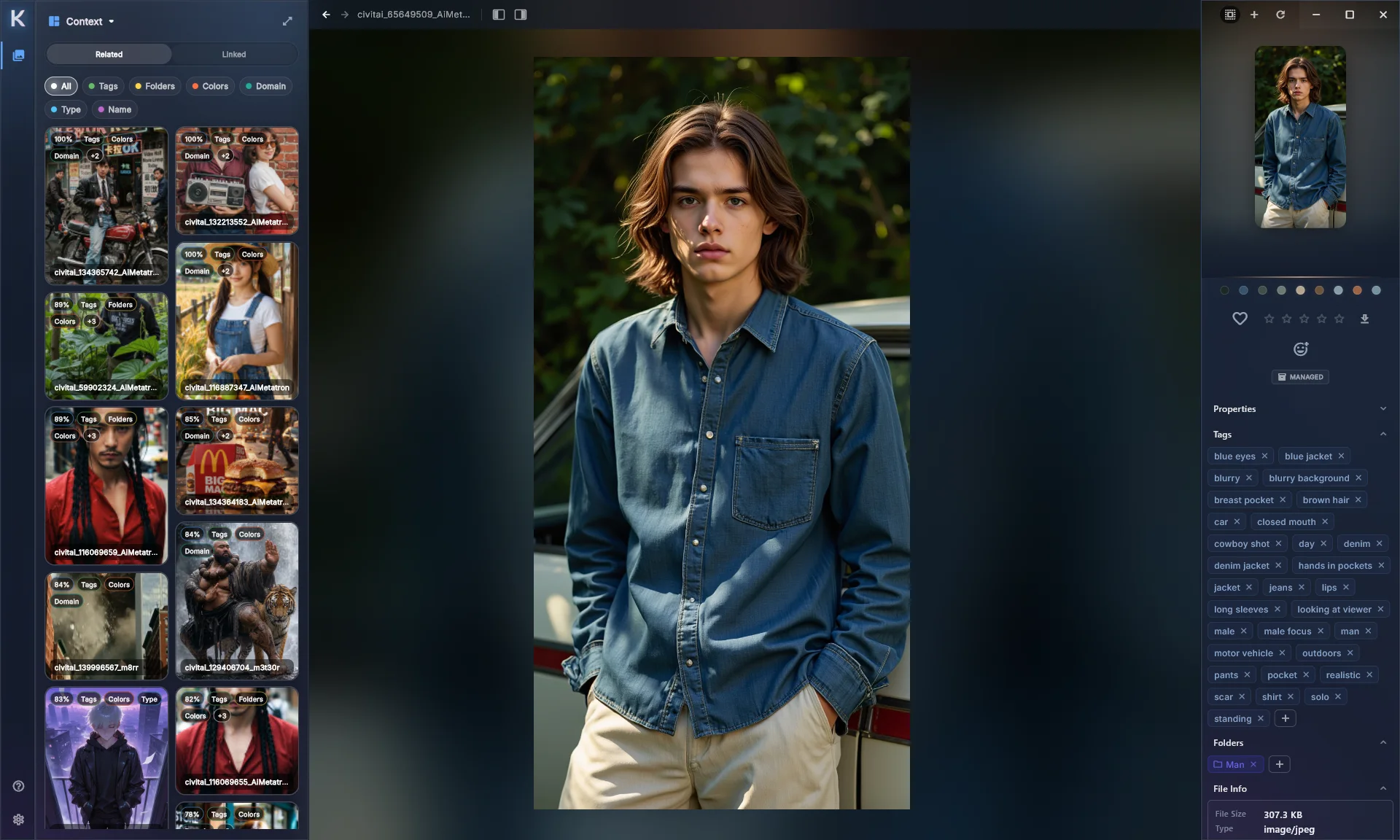
Full-size, with everything you know about it
Look closely, and keep tags, notes, colors and ratings one glance away.
Scrub video from the grid
Hover a clip and slide across it. No player to open.
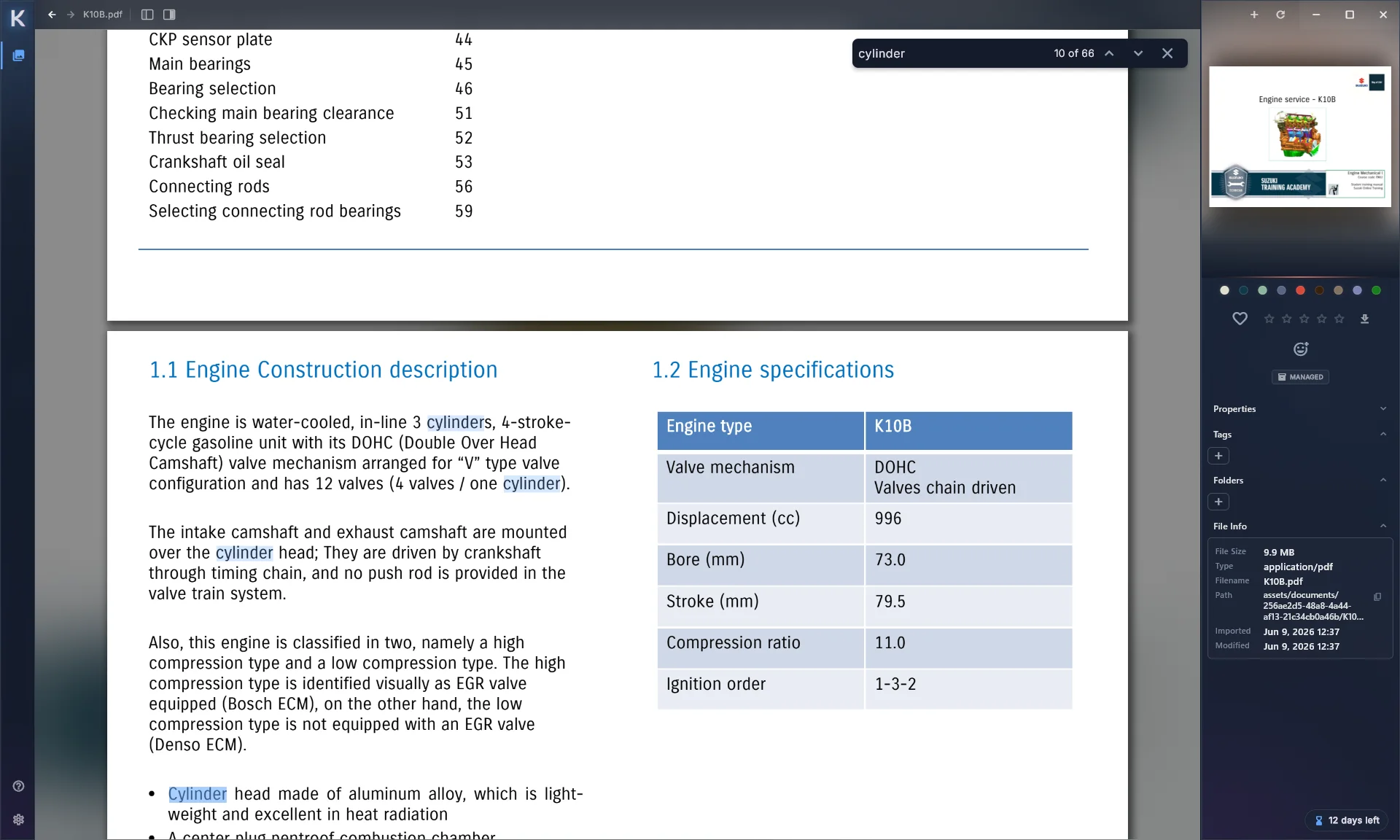
A real PDF reader
Page through, zoom, rotate, select text and search, right in your library.
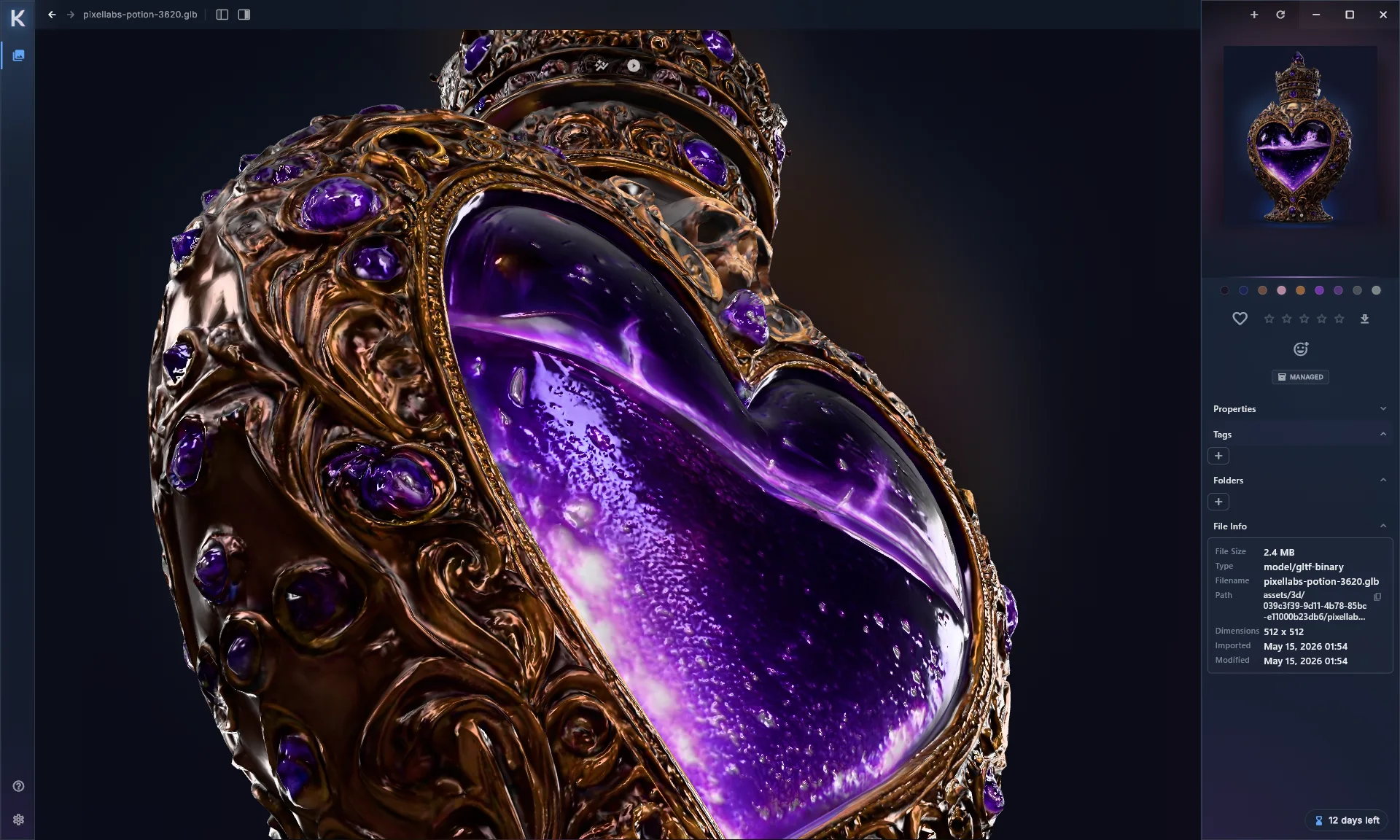
3D models
Spin an OBJ, FBX, glTF or STL before you drag it into your scene.
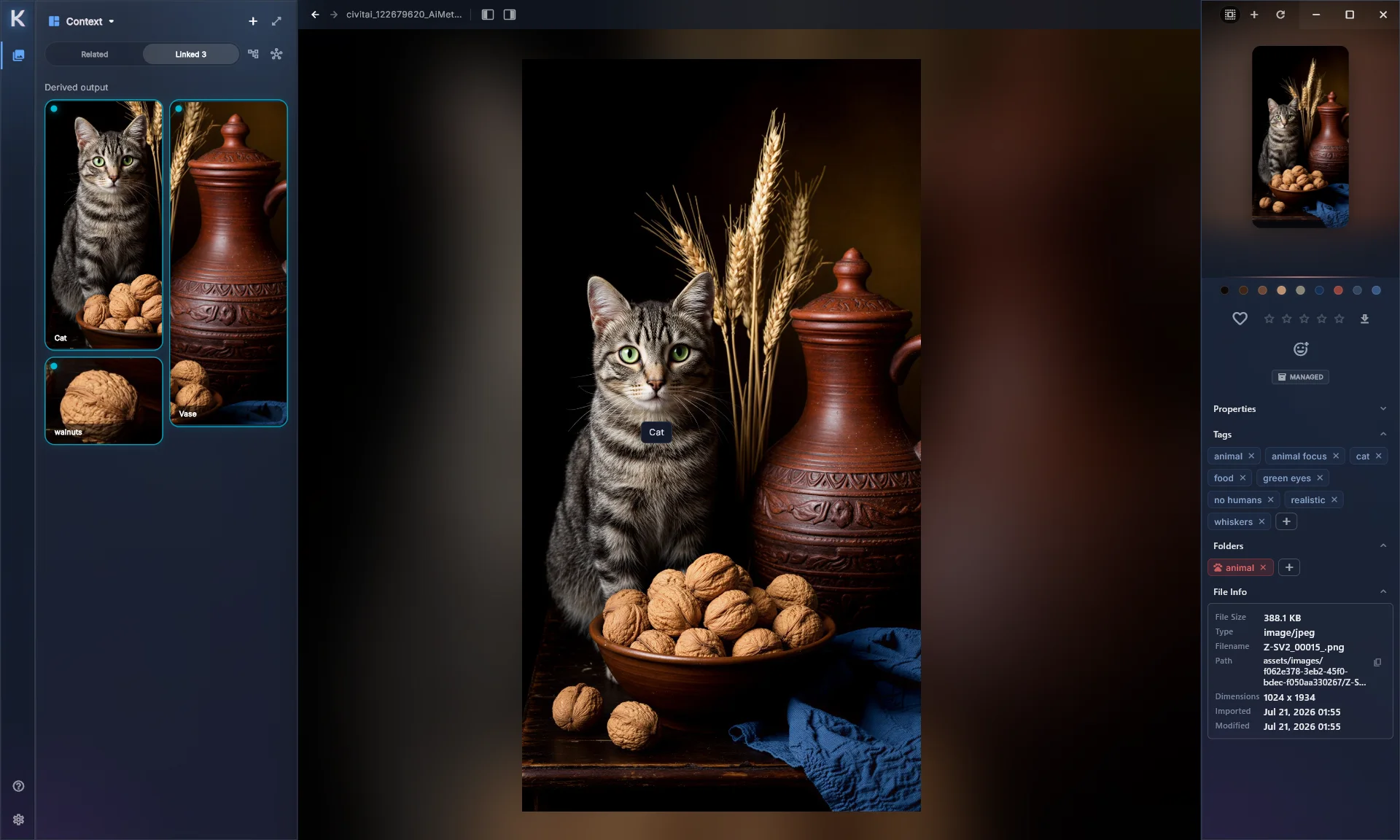
Files that belong together
Link a source to its edits, exports and screenshots, and see the whole family from any of them.
Collecting only counts if you can find it again.
Search by name or tag, then narrow it down by color, rating, shape, size, length or date. Thousands of files shrink to the three you were thinking of.
Search by color
Pick a color and see everything close to it, with a tolerance you control.
Filter by anything
Ratings, reactions, orientation, dimensions, duration, file type, notes.
Quick at any size
The grid only loads what you’re looking at, so big libraries stay smooth.
Saved the same image twice? Kariel notices.
Before a second copy goes in, Kariel shows you the one you already have. Keep it, keep both, or fold the new tags into the old one.
You find out in the moment, not three years and four thousand images later.
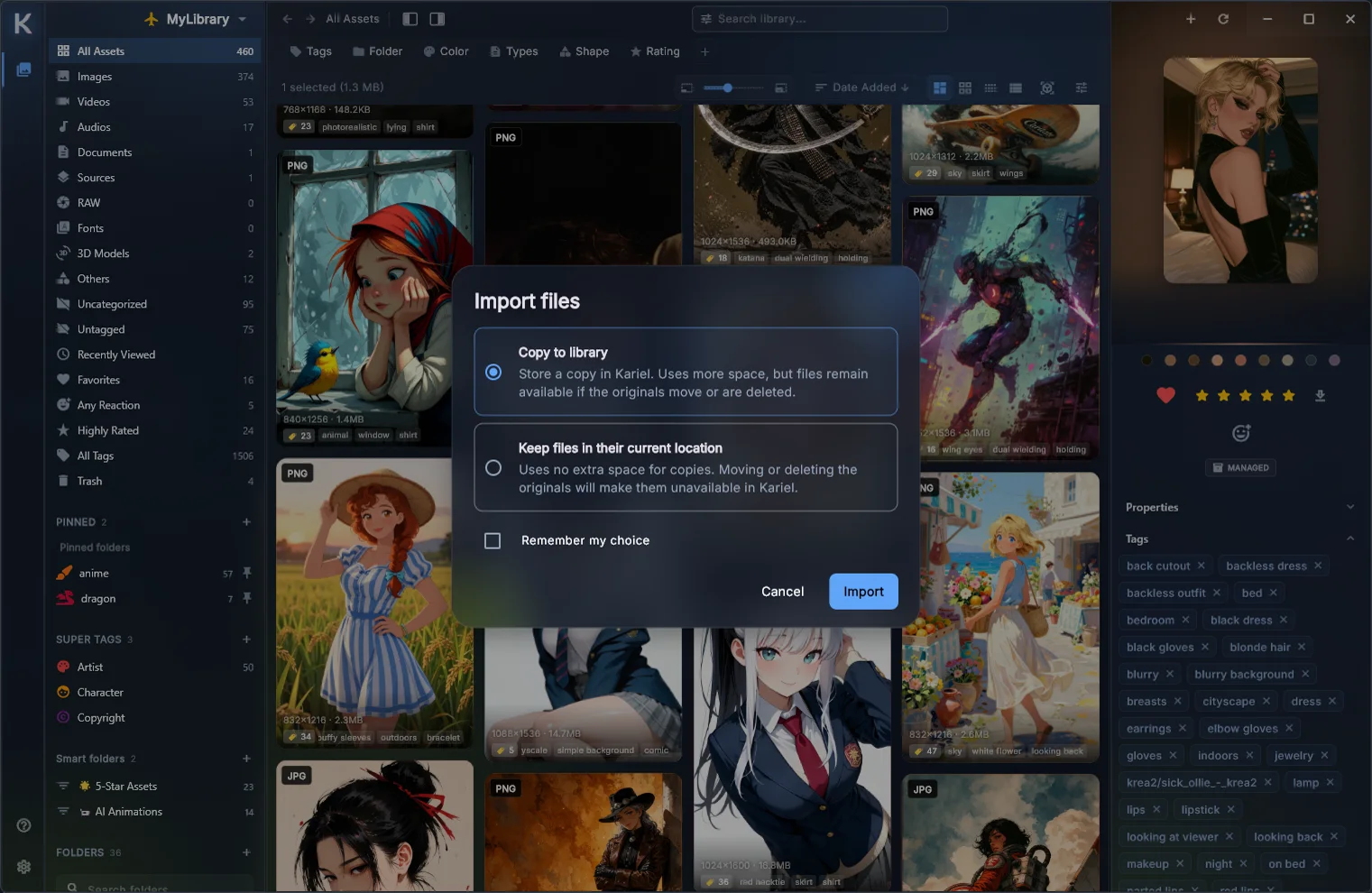
Keep files where they are, or bring them in.
When you import, you choose: copy files into Kariel, or leave them where they already live and let Kariel keep track of them.
No forced duplicates, and no filling your drive for the sake of a tidy folder. If you move something later, Kariel helps you relink it.
Some folders are nobody else’s business.
Lock a folder behind your library password, and choose how far Kariel goes to protect it.
Protected files still open inside Kariel once you unlock them, without leaving an unprotected copy lying around.
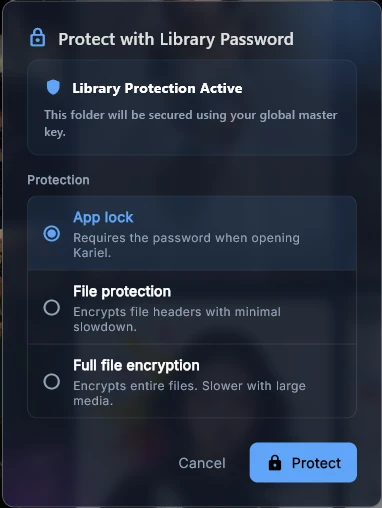
App lock
Hides and locks the folder in Kariel. The files on disk stay as they are.
File protection
Encrypts the file headers, the part that makes a file readable. Locks and unlocks quickly, even for big video.
Full file encryption
Encrypts every byte. Slower on large files, and as private as it gets.
Coming from Eagle? Bring all of it.
Point Kariel at your Eagle library and it comes across as it is. Using something else? A .kimport file brings in libraries from other tools.
- Every file
- The folder tree
- Tags and their hierarchy
- Notes and descriptions
- Colors and icons
- Thumbnails
Whatever you collect, it fits.
- Images
- JPG, PNG, GIF, WebP, AVIF, HEIC, SVG, PSD, RAW
- Video
- MP4, MOV, WebM, MKV, AVI, WMV
- Audio
- MP3, WAV, FLAC, M4A, OGG, Opus
- Documents
- PDF, DOCX, XLSX, PPTX, Markdown, CSV
- 3D models
- OBJ, FBX, glTF, GLB, STL, USDZ
Ready when you are.
The desktop app is the heart of Kariel. Start there.


Mobile app
 Android Google Play
  iPhone & iPad In App Store review

